Migliora il gameplay
Arricchisci la tua esperienza in The Witcher 3: Wild Hunt con tante opzioni
Come installare le mod
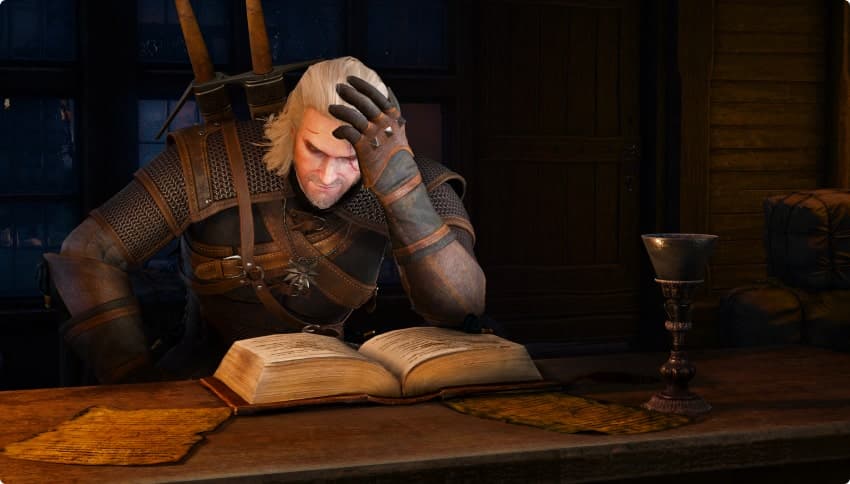
Scorri le mod disponibili su Nexus Mods per scaricarle.
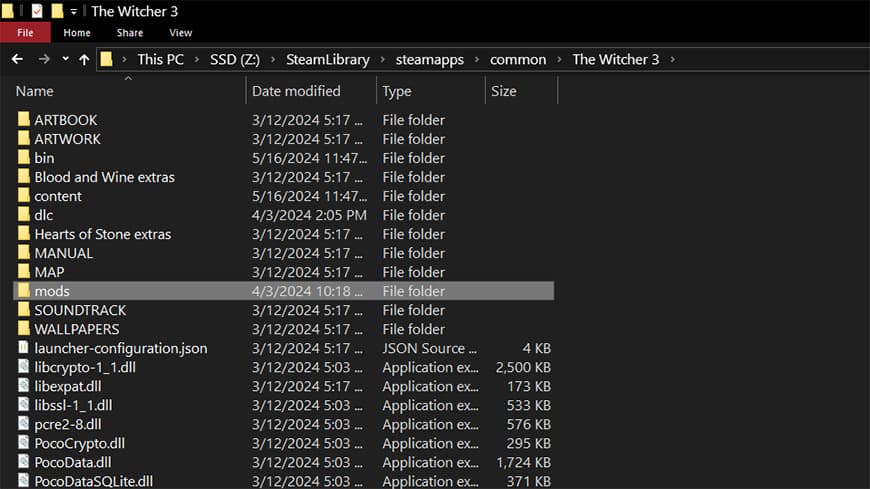
Copia il file della mod selezionata nella cartella del gioco, come indicato nelle istruzioni di installazione della mod.
Avvia il gioco e… Divertiti!
Scorri le mod disponibili.
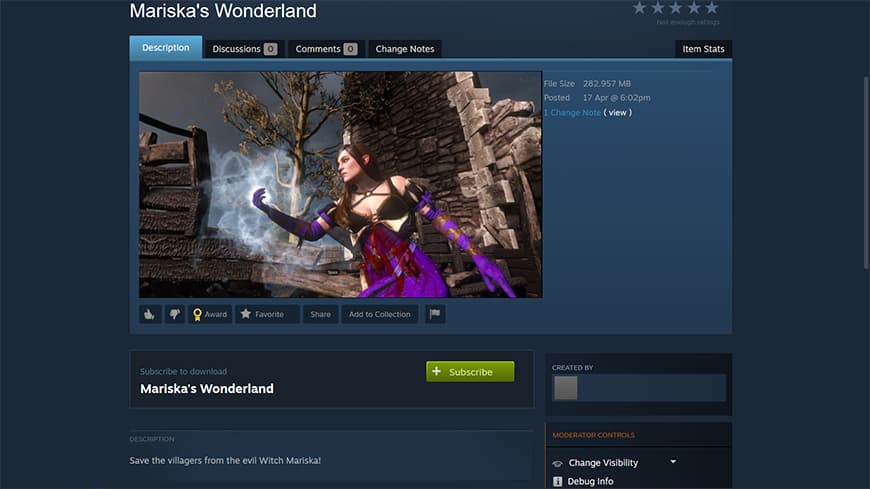
Clicca per iscriverti alle mod con cui vuoi giocare.
Una volta effettuata l'iscrizione alle mod che vuoi, avvia il gioco e divertiti!
I contenuti delle mod di The Witcher 3: Wild Hunt sono creazioni della community e non sono sottoposti alla revisione di CD PROJEKT RED.
UNISCITI ALLA COMMUNITY DEL REDkit
Collegati con altri modder, scambia idee, collabora a progetti, espandi la tua conoscenza del REDkit, scopri quello che i fan di The Witcher 3: Wild Hunt vorrebbero vedere realizzato, e non solo!





Domande frequenti
Il REDkit di The Witcher 3 è un tool che serve a personalizzare la propria esperienza di gioco in The Witcher 3: Wild Hunt. È una versione modificata di REDengine 3, il motore usato per realizzare il gioco.
Negli anni, la community che si è raccolta attorno a The Witcher 3: Wild Hunt e in generale alla serie dei videogiochi di The Witcher ci ha dimostrato la sua passione per i nostri giochi creando non solo opere d'arte incredibili ed emozionanti, ma anche contenuti di gioco, nonostante la difficoltà di realizzazione. Abbiamo deciso di ricambiare e di mettere la community nelle condizioni di fare ancora di più e con meno sforzo. Il risultato è il REDkit di The Witcher 3, che ci auguriamo verrà usato da tutti con piacere per arricchire il mondo di The Witcher con fantastiche creazioni originali. Non vediamo l'ora di scoprire i frutti del talento e della creatività della community combinati con le potenzialità del REDkit di The Witcher 3, e cosa questo tool ci riserverà in futuro.
In aggiunta ai tool già inclusi nel REDkit di The Witcher 3 (come Scene Editor, World Editor, ecc.), offriamo agli utenti un plugin di Blender che permette di lavorare con animazioni, lip sync o modelli mesh. Per comodità, il REDkit include anche i file sorgenti flash per gli elementi dell'interfaccia utente (come Gwent) oltre agli asset audio originali del gioco. Una volta installato il REDkit saranno disponibili molte altre fonti originali per dare inizio alla propria esperienza di modding nel modo più divertente e semplice possibile!
No, il REDkit di The Witcher 3 serve principalmente a creare mod. Per usare i contenuti creati dagli utenti (le mod) basta avere The Witcher 3: Wild Hunt.
Al momento non ci sono piani per il supporto delle mod anche su console.
Most modders upload their mods to Nexus Mods — you can browse The Witcher 3: Wild Hunt category there. Once you find a mod you like, it should have the installation instructions in the provided description. We also introduced Steam Workshop integration so if you play the game on Steam, you can use the Steam Workshop to browse and install mods.
This will vary between mods. Smaller or less graphically intense mods should work, but some might be more demanding than others in terms of the power required to run them. It is best to consult this issue with the mod’s creator beforehand.