
Level up your gameplay
Enrich your time in The Witcher 3: Wild Hunt with a wealth of options
How To Install Mods
Browse available mods on Nexus Mods to download them.
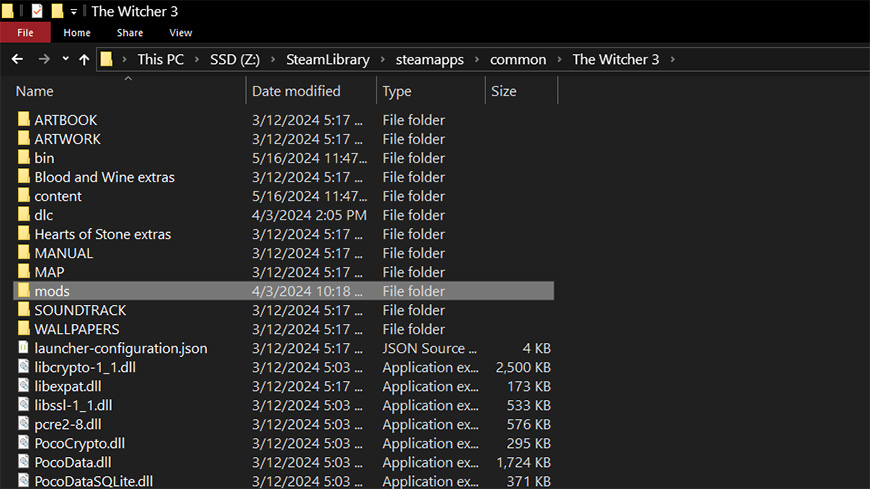
Copy the chosen mod file into the appropriate game folder, as indicated in the mod's install instructions.
Boot up the game… Enjoy!
Browse through available mods.
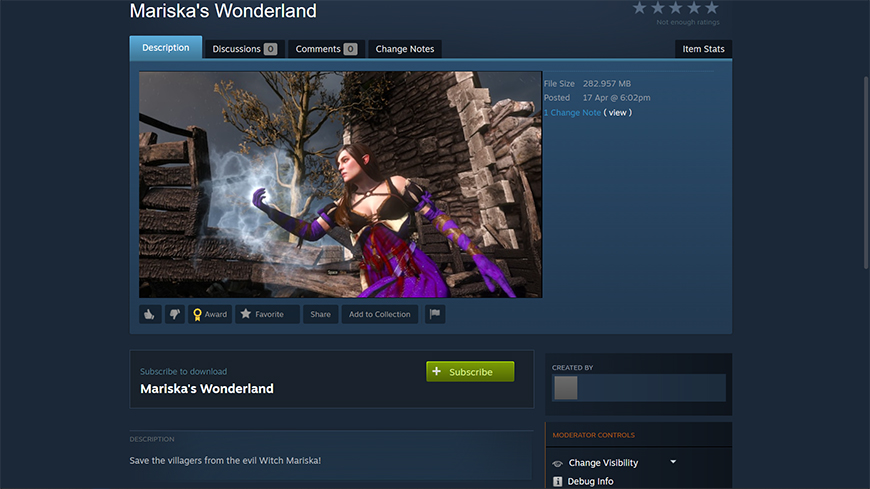
Click subscribe on any mods you want to play with.
After subscribing to the appropriate mods, boot up your game and enjoy!
The content of mods for The Witcher 3: Wild Hunt is created by the community and not reviewed by CD PROJEKT RED.
JOIN THE REDkit COMMUNITY
Connect with other modders, exchange ideas, collaborate on projects, expand your knowledge of REDkit, learn what fans of The Witcher 3: Wild Hunt would love to see made, and more!





FAQ
The Witcher 3 REDkit is a tool to create your own experiences for use with The Witcher 3: Wild Hunt. It is a reworked version of REDengine 3, which we used to create the game.
Over the years, the community gathered around The Witcher 3: Wild Hunt and The Witcher series of games in general has been showing us how much they love our titles by creating amazing and truly inspiring works of art, including in-game content, despite the challenges involved. We wanted to give some of that love back to the community and enable them to do more than ever, easier than ever. The Witcher 3 REDkit is the end result, one which we hope you’ll thoroughly enjoy using to expand the world of The Witcher with amazing creations of your own. We can’t wait to see what your talent and creativity, empowered by The Witcher 3 REDkit, will produce, as well as where it might lead you in the future.
In addition to the many tools The Witcher 3 REDkit already comes with (such as Scene Editor, World Editor, etc), we also provide users with a Blender plugin that allows working with animations, lipsync, or mesh modeling. For your convenience, REDkit also comes with flash source files for UI elements (e.g. Gwent) along with the original audio assets for the game. Many more original sources are also available after installing REDkit in order to help you hit the ground running and make your modding experience as fun and hassle-free as possible!
No, The Witcher 3 REDkit is primarily used for creating mods. You only need The Witcher 3: Wild Hunt to play user-created content (mods).
There are currently no plans for mod support on consoles
Most modders upload their mods to Nexus Mods — you can browse The Witcher 3: Wild Hunt category there. Once you find a mod you like, it should have the installation instructions in the provided description. We also introduced Steam Workshop integration so if you play the game on Steam, you can use the Steam Workshop to browse and install mods.
This will vary between mods. Smaller or less graphically intense mods should work, but some might be more demanding than others in terms of the power required to run them. It is best to consult this issue with the mod’s creator beforehand.